Monday, 8 April 2024

How to Stream Clearkey Protected MPD Video in dash.js

How to Stream Clearkey Protected MPD Video in dash.js

Video content is gaining lot of popularity these days and so does streaming. However, streaming video content is not new to web. But the way people are consuming it all around the world, it is becoming an issue for the content creator and content creation companies to control the spread of their content to unauthorized users or simple saying - unsubscribed users.

That's why Digital Rights Management (DRM) was developed to protect the video from piracy and to make it very hard (yet not impossible) to download the original video on client device.

Saturday, 26 December 2020

Wednesday, 30 May 2018

What every browser knows about you?

What every browser knows about you?
You have seen may times google tells your internet presided location or showing country name below its logo makes you to think about what  stuff is my browser know?

Being in incognito mode isn't actually incognito as you know.But there are many things that any other websites can find about you from your browser.So let's see what our browser knows...
what every browser knows about you?

If you go in site settings, you will know that there are verity of things such as location, JavaScript, notifications, camera, microphone etc are there.But these all things ar not needed by all websites at all the time.For example, there is a calculator app on android asking permission for camera, that mans it is staling your data.Sam thing is here.The not trusty websites can steal your data right the way.
<img>

Here are the things which a website can gain through browser.But since the browser is in your control, you can allow or block them from taking your valuable information.

  • Location
Location can be very easily tracked by Google Geo-location API. Although it is not very accurate. However it is passed by JavaScript so you can block it.It is without using your GPS.

But if you allow site to use your GPS, it can find your current location.


  • Browser Information
Any website, through JavaScript, can know which browser you are using with its version on which  operating system.It can also get information that which browser plugins you are using.

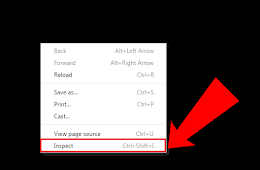
To prevent this information from leaking, you can block the JavaScript OR switch to mobile devices by using dev-tools.
Change device in Google chrome dev-tools

  • Hardware
Browser can get information such as CPU, GPU and even battery charging percentage as below.
It can get the resolution of display also.
Hardware information to browser.

  • Connection
Any website with JavaScript turned on can see you public and local IP.Apart from that downloading speed can also be calculated by downloading a simple file and by measuring time taken for it.
  • Check the site you are logged in
Any site can now easily find out to which sites you are logged in Such as Facebook, Twitter and many more like Google etc.
  • Gyroscope and Compass
This can work fine in mobile devices.Any website can get Gyroscope and compass information, if the device has so.
  • Camera , Microphone and Other data
If you have given permission to the website to access the camera, microphone and other data, then they can easily access them.Verify the site before giving any permission.
I sometimes amaze that the people are commenting on the posts like below. How can a JavaScript at all do this?

So be aware and be safe from all the malicious websites and be safe with keeping track and using your tights to control what information a website can take from your browser.
Do remember to like our Facebook page CSSMAGZ.
Tuesday, 6 February 2018

Make a Html 5 video player with custom controls

Make a Html 5 video player with custom controls
As we know HTML 5 has introduced many new elements including video element, which we are using to display videos on our web pages.Since 2014, the year of a released 5th version of HTML, browsers have also slowly adopted themselves into HTML 5 and now, we are going to see make a media player with our own custom controls.

Wednesday, 17 May 2017

Monday, 24 April 2017

Being in incognito or in private mode is actually private?

Being in incognito or in private mode is actually private?
Many users thinks that being in incognito mode makes them anonymous in the web.But it really make you private?Let's find out.


Incognito mode

WHAT ACTUALLY HAPPENS?
Incognito mode ,Private browsing , In-private browsing - the names are very different but function is one and the same.When you are in the incognito mode , your browser doesn't store any history at all.In chrome it doesn't store any download record in its download section.

When you open up a Incognito window it works like a browser which cannot store history and cookies and local storage also.If so , the browser will immediately delete it.Private mode allows a person to browse the Web without storing local data that could be retrieved at a later date. Privacy mode will also disable the storage of data in cookies and Flash cookies.
opera private browsing .
Opera private mode

WHO CAN STILL SEE YOU

Well , you get the answer above , that being in incognito doesn't hide you any more. Actually nothing is private this days because your ISP and the web interpreters can still see what you are doing is.Let us look at what browsers are saying.


incognito mode in google chrome
incognito mode in chrome. 


Private browsing mode in Mozilla Firefox.

Incognito
 mode only prevents browser from saving your site visit activity. It won't stop other sources from seeing what sites you’ve visited, including:

  • 1.Your Internet service provider.
  • 2.Your employer (if you're using a work computer).
  • 3.The websites you visit themselves.
WHAT ARE THE THINGS THAT WON'T BE SAVED
Private or incognito browsing doesn't save the following things.-

Visited pages-Pages that are visited in the private mode won't be saved.That means no history is saved.(Bookmarks will saved)
Forms and search bar entries -The fiddled forms and the searches are won't come as suggestions next time.
Passwords-No passwords and usernames will be saved.
cookies or local storage-Cookies and local data will be saved and deleted as the browser window closed.That means if you are logged in to Facebook , and you closed the incognito window , you will be logged off and the next time you need to login again.
Downloaded items list -You can download as usual in private mode.Downloaded files will be saved but the list of downloaded items will not be saved.
Cached Web Content and Offline Web Content and User Data: Temporary Internet files or files that websites save for offline use will not be saved.

SOME THREATS WHILE BROWSING IN INCOGNITO
Private mode prevent browser from storing the history but the spam or the spywares can still monitor what you are doing on the web.Some powerful parenting control applications cannot save you from  hiding the history.Basically this doesn't happens if you don't have any spam type application installed on your computer.Some anti-viruses can still wrap around the browsers to find out viruses.They didn't matter whether you are in private mode or not.But they didn't save your web history.

USES OF THE INCOGNITO MODE
but still ,the Private mode has many uses.

1.Reduce history -If you are didn't searching any important things which's history you will not be needed later , you should use private browsing mode.This helps your browser to get reduced load of the web cache or the history.
2.Auto fills ,Personal information - If you don't want a name added in the username filled later as a  suggestion , use incognito mode.
3.Login multiple accounts-If you want to login your 2 gmail account at same time use incognito to to it.
4.Testing websites-If you are developing a web app and you want to test it,you need to refresh it multiple times. Incognito mode saves you from storing unnecessary history.

There can be more other uses like to preventing others to see your history if they are using your computer.

That's it is!
private browsing did you know

Please follow our FB page for more stuff!